Companion for SwiftUI is now finally available to download from the AppStore.
It is a community driven app featuring code snippets, powerful packages and curated articles for the perfect start into iOS development with SwiftUI.
Check it out now!
Companion for SwiftUI is now finally available to download from the AppStore.
It is a community driven app featuring code snippets, powerful packages and curated articles for the perfect start into iOS development with SwiftUI.
Check it out now!
CodeSnipper is finally coming to TestFlight starting January 1st in 2024. If you want to participate and try the beta, make sure to join the waitlist on https://codesnipper.app. Would love to have many testers.


FYI: My domain is now fully transferred to a new hosting platform. The website should work just fine :)
I am thinking about a new and more minimalistic app icon for CodeSnipper. Which one do you prefer?

Yes I know. I am currently transferring the domain to a new hosting service. Should be back in a few days :)
In the past few days, I dedicated time to developing the initial beta version of CodeSnipper for your use. See what's new:
File and Folder Import:
You now have the capability to effortlessly import files and folders into CodeSnipper, either through a dedicated import function or by using drag-and-drop functionality. All contents within the imported files and folders will be utilized to generate snippets. This streamlined process significantly enhances your workflow, eliminating the need to manually copy and paste content from each file.
Markdown File Rendering:
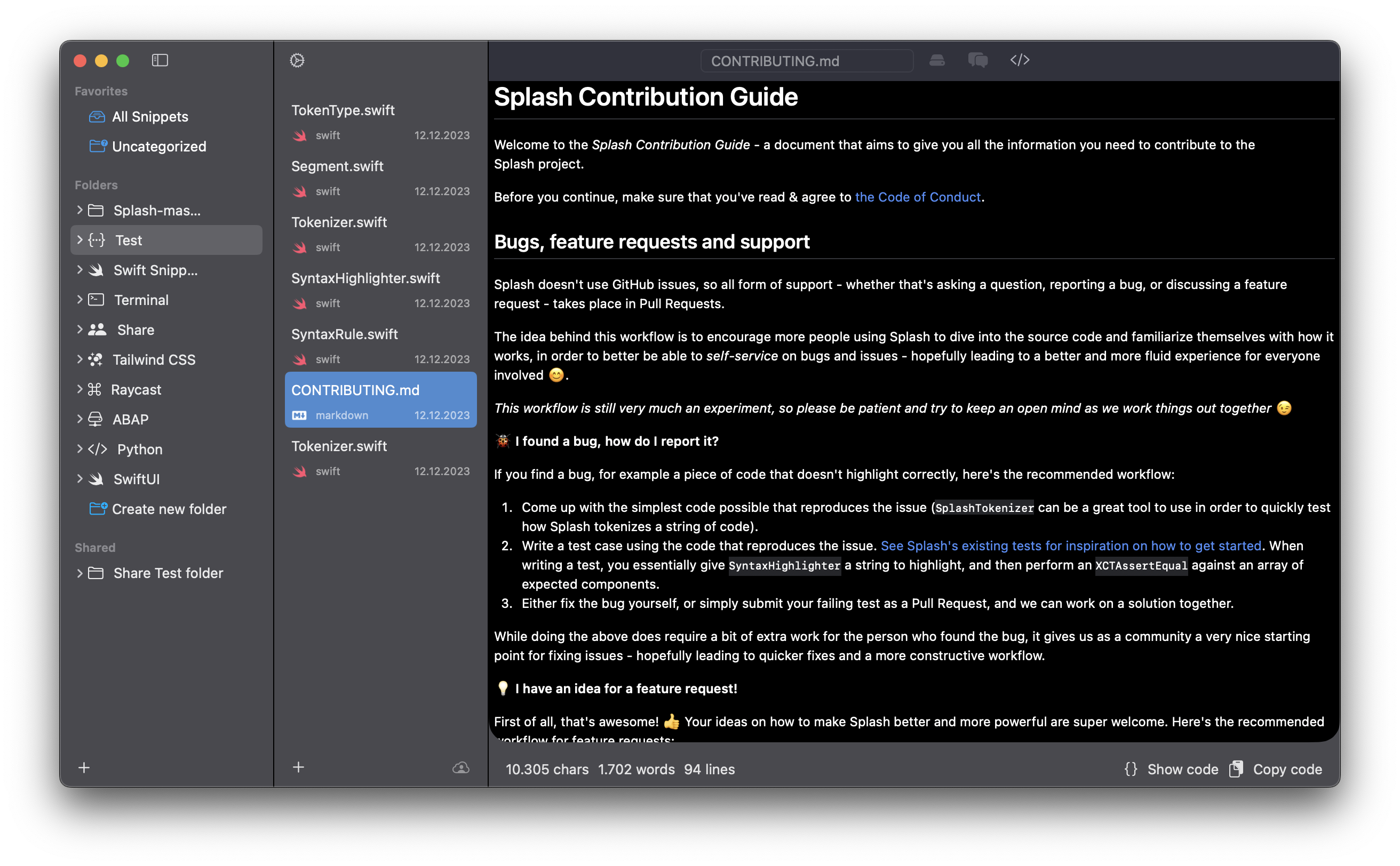
CodeSnipper includes a feature to render Markdown files. This allows you to preview how your .md files will appear in the final output. This visualization can be particularly useful for assessing the presentation of your Markdown content.
Shortcut Integration:
CodeSnipper prioritizes efficiency with an array of keyboard shortcuts. These shortcuts are designed to boost your productivity and further streamline your workflow. Take advantage of these time-saving tools to navigate and interact with the application seamlessly.
AI Features:
CodeSnipper now implements new AI features powered by Chat-GPT, such as code commenting and explanations for code.